GenAIEmbed is Now Officially Integrated with Shopify

Product Marketing strategist


Connect your Shopify store and activate the next layer of shopping experience
Shoppers have changed the way they browse.
They do not want to scroll through endless product grids, apply multiple filters, and still feel unsure about what goes together. They want an experience that helps them find what fits their moment quickly and confidently.
That is why we are happy to announce an important product milestone:
GenAIEmbed is now officially integrated with Shopify.
This integration makes it easy for Shopify brands to connect their store to GenAIEmbed, sync their catalog, and activate a new layer of shopping experience powered by PaletteAI, our story led collections engine.
No rebuild. No heavy lift. Just a faster path from catalog to curated discovery.
Why this matters for Shopify brands
Most Shopify stores are built on the same browsing structure:
Category page
Product grid
Filters
Scroll
Repeat
It works, but it does not match how shoppers think.
Shoppers think in moments:
An occasion
A season
A lifestyle
A need
A budget
When your storefront only offers grids, shoppers are forced to do all the work. They have to interpret products without context and build their own story.
Curated collections solve that.
Collections group the right products together with a clear theme, so shoppers instantly understand what goes together and why it matters.
The real impact of curated collections
When collections are done right, the experience changes immediately:
Shoppers decide faster
Drop off reduces during browsing
Buying confidence improves
Cross sell and upsell happen naturally because products are shown in context
Slow moving inventory moves better when placed inside the right story instead of staying buried in a grid
The challenge is not the value of collections.
The challenge is how long it takes to create them.
The traditional way to create collections is slow
Most teams still build collections manually.
They have to:
Select products one by one
Build a theme
Write narration
Shape the story
Create visuals
Design the layout
Repeat every time trends change
It takes days or weeks, and it becomes hard to scale across categories, seasons, and campaigns.
That is exactly what PaletteAI changes.
What PaletteAI does differently
With PaletteAI, you do not start with manual product selection.
You start with intent.
You simply describe what you want:
The theme
The occasion
The shopper intent
The brand message
Then PaletteAI:
Selects the right products from your catalog
Creates collection names and narratives
Generates story led collection experiences automatically
Prepares the collection for publishing
Now, with the Shopify integration live, you can take that experience and connect it to your Shopify storefront workflow.
What “activate the next layer of shopping experience” means
When we say “next layer,” we are not talking about replacing Shopify.
We are talking about upgrading what happens above the product grid.
This layer helps shoppers:
Discover products faster
Explore with context, not confusion
See what goes together instantly
Shop the theme, not just the SKU list
For merchants, it means:
Faster merchandising cycles
Less manual work
More consistent storefront storytelling across seasons and categories
How to integrate Shopify with GenAIEmbed (Step by Step)
Connecting Shopify to GenAIEmbed is designed to be simple. You connect once, and your catalog and collections can stay aligned for ongoing publishing.
Step 1: Open Integrations in GenAIEmbed
Log in to your GenAIEmbed dashboard
Go to Integrations
Select Shopify
Step 2: Connect your Shopify store
Click Connect Shopify
Enter your store URL (example:
yourbrand.myshopify.com)Click Continue
You will be redirected to Shopify to sign in
Step 3: Approve access in Shopify
Sign in using your Shopify admin account
Review the requested permissions
Click Install / Approve to authorize GenAIEmbed
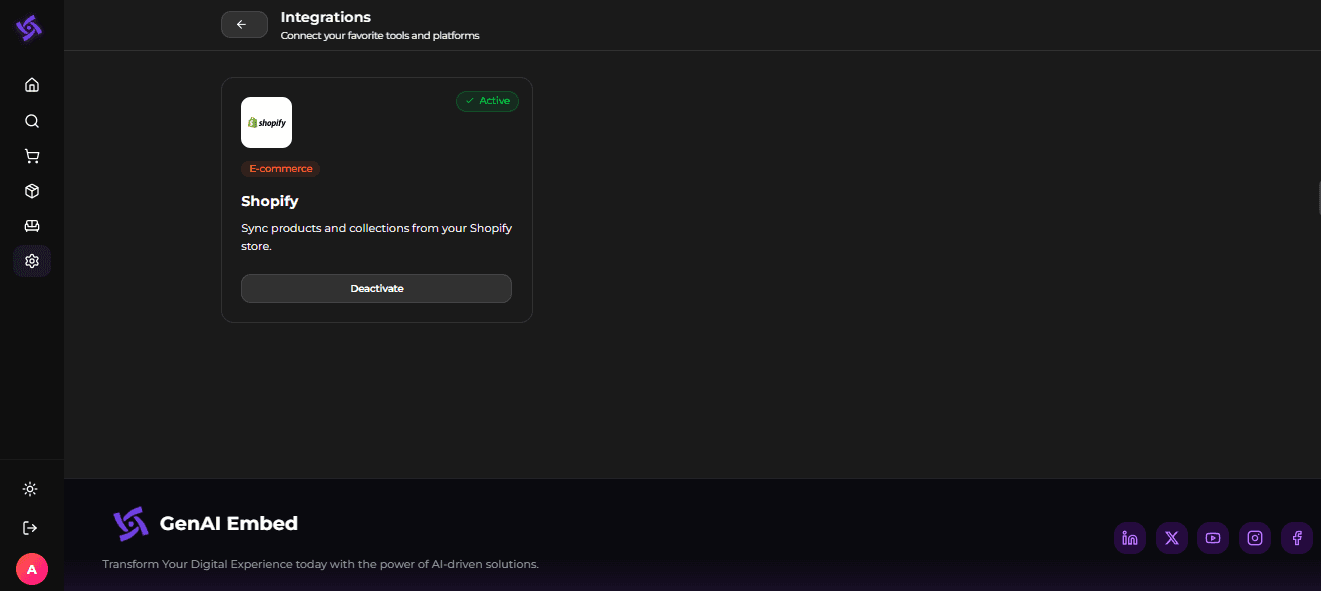
After approval, you will return to GenAIEmbed and the integration will show as active.
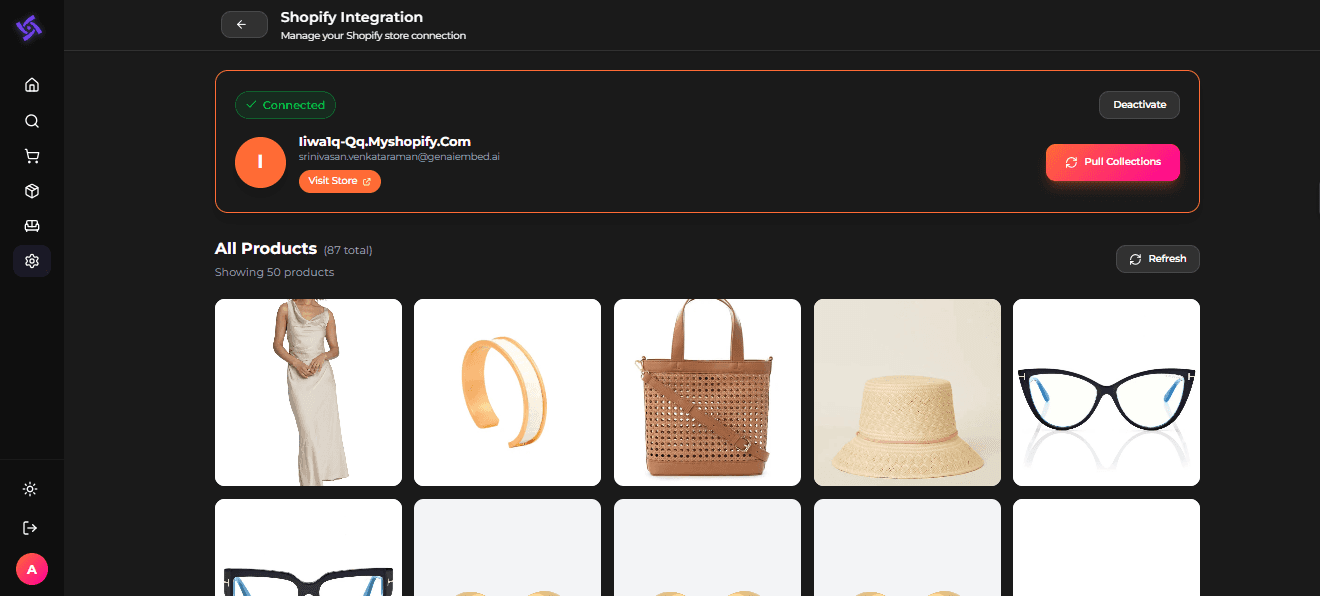
Step 4: Confirm catalog sync
Once connected:
GenAIEmbed begins syncing your Shopify product catalog
Your products become available in PaletteAI for search and collection creation
If you have a large catalog, the initial sync can take longer, but after that, updates are maintained smoothly.
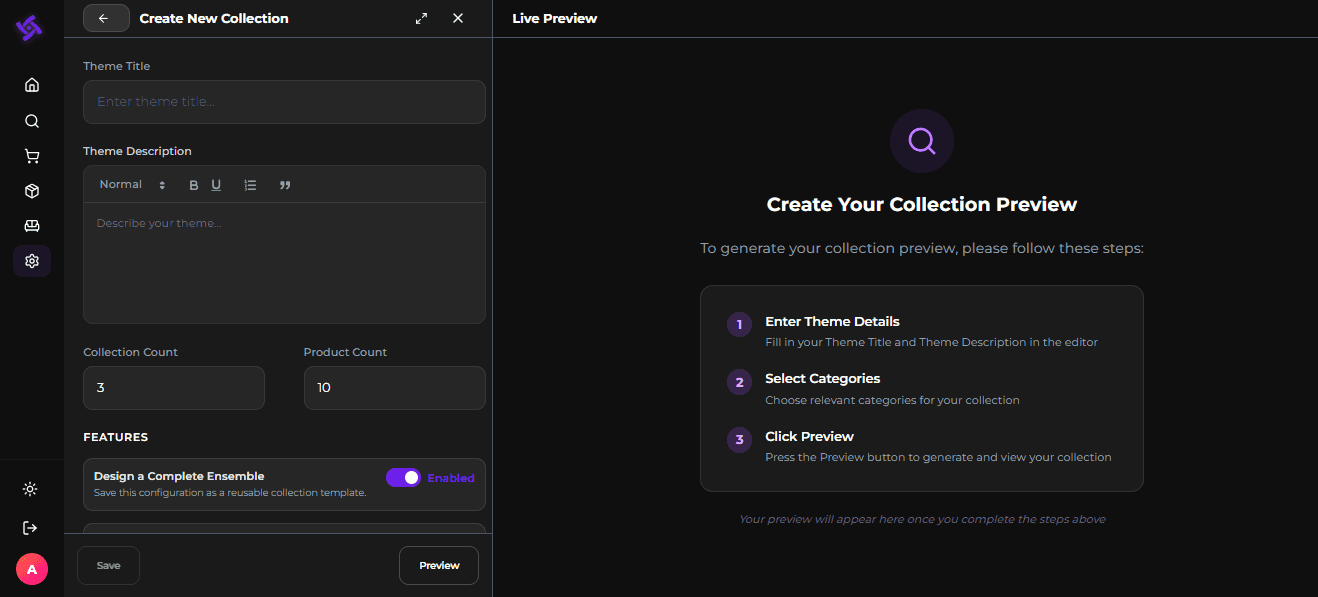
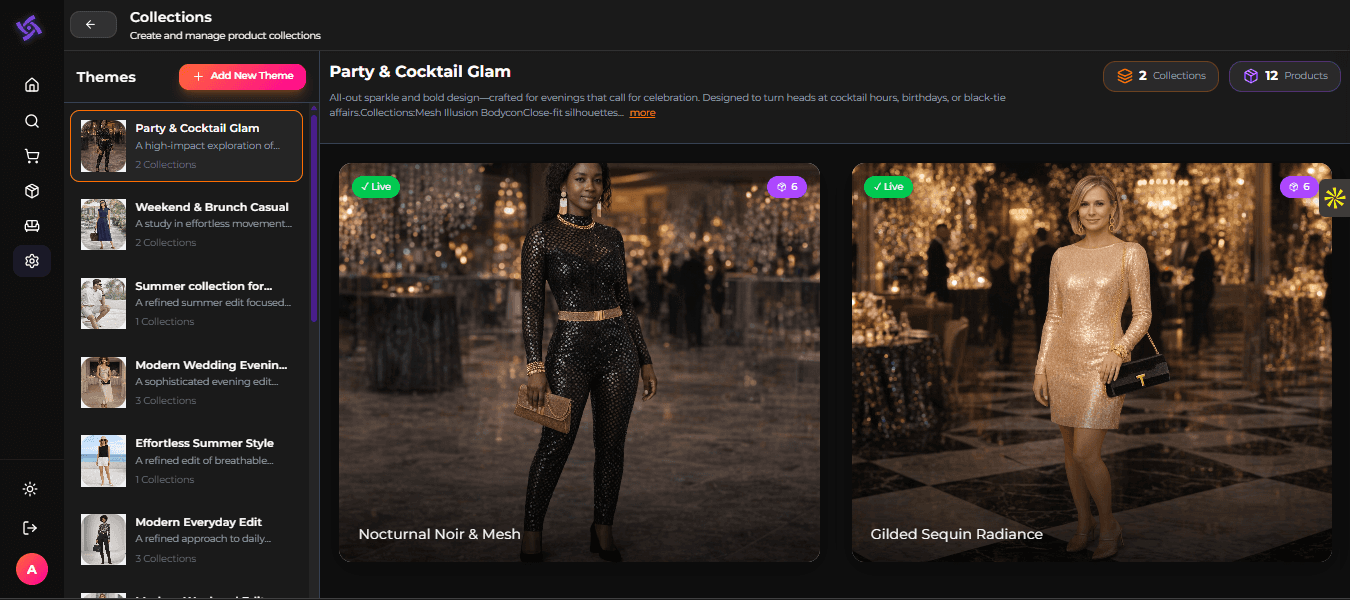
Step 5: Create collections in PaletteAI
Open PaletteAI
Go to Collections
Click Add New Theme
Enter:
Theme title
Theme description
Number of collections
Products per collection
Click Preview
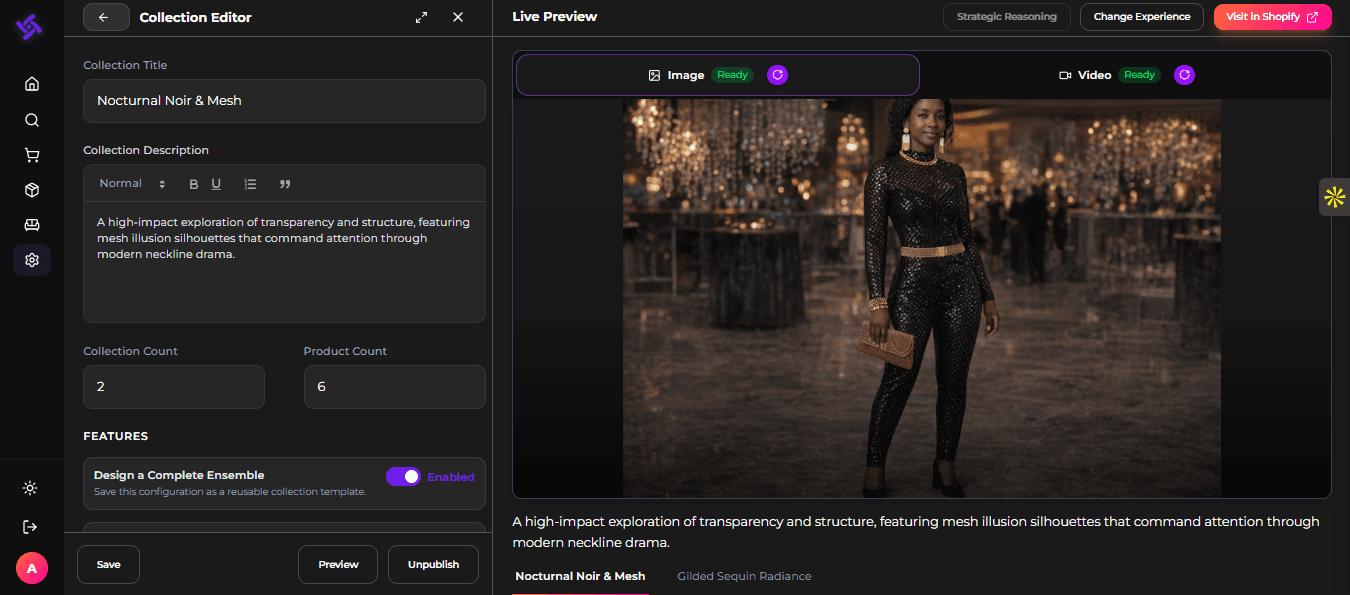
PaletteAI generates instantly:
Curated product picks from your Shopify catalog
Collection narrative
Visual experience layout options
Step 6: Publish and push to Shopify
Review the collection inside the editor
Click Publish
Choose Post to Shopify
Confirm the action
Your collection is now ready to appear in your Shopify storefront workflow.
Step 7: Refresh collections anytime
When inventory, seasons, or campaigns change:
Open your collection in PaletteAI
Click Refresh / Regenerate
Publish again to Shopify
This keeps your storefront current without repeating manual work.
Shopper side experience (what your customers will see)
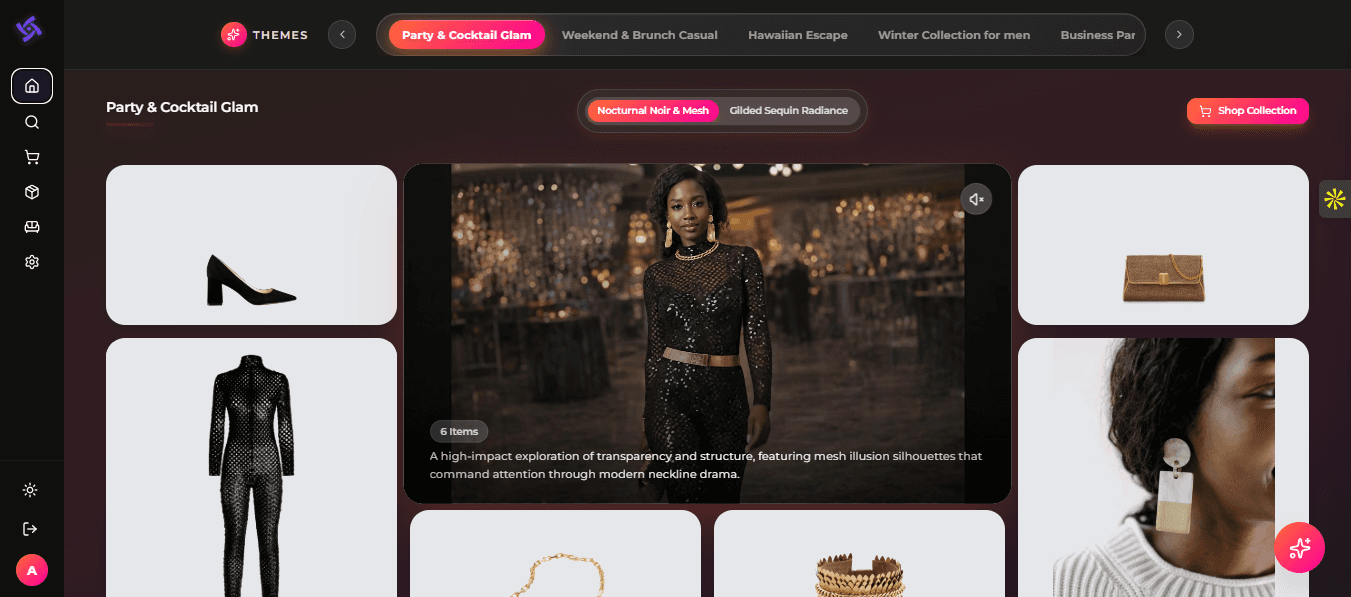
After publishing, shoppers experience a theme led journey:
A hero visual that sets the context
Curated products placed inside a clear story
A simple path to shop the collection
This changes browsing from “searching endlessly” to “discovering with guidance.”
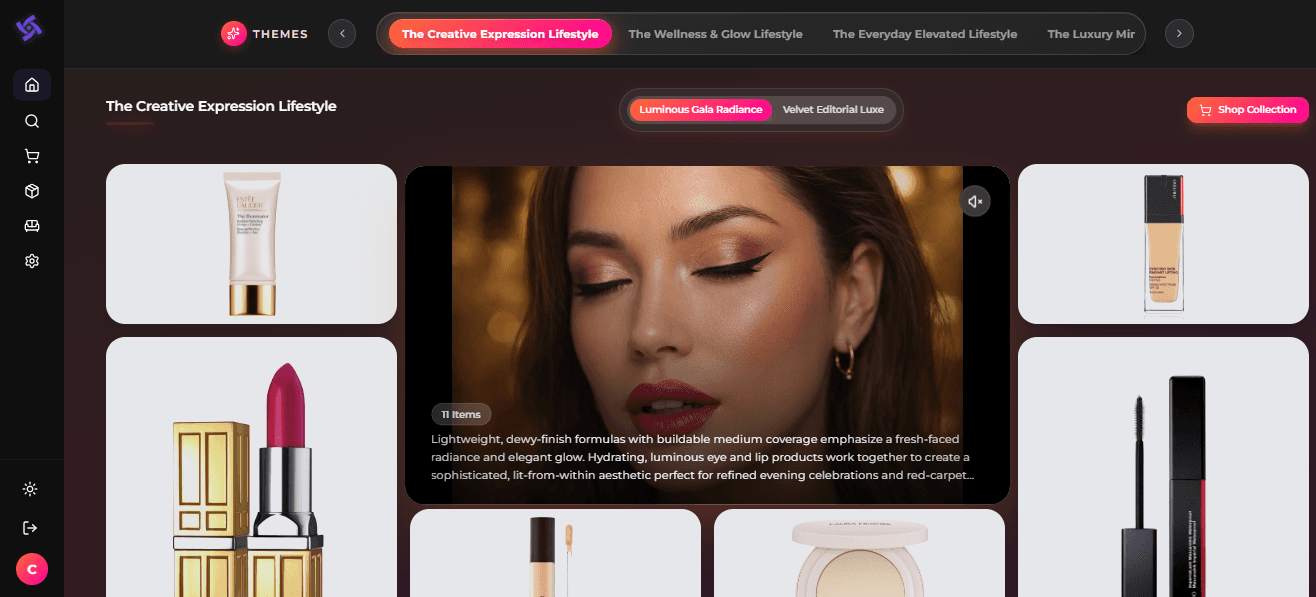
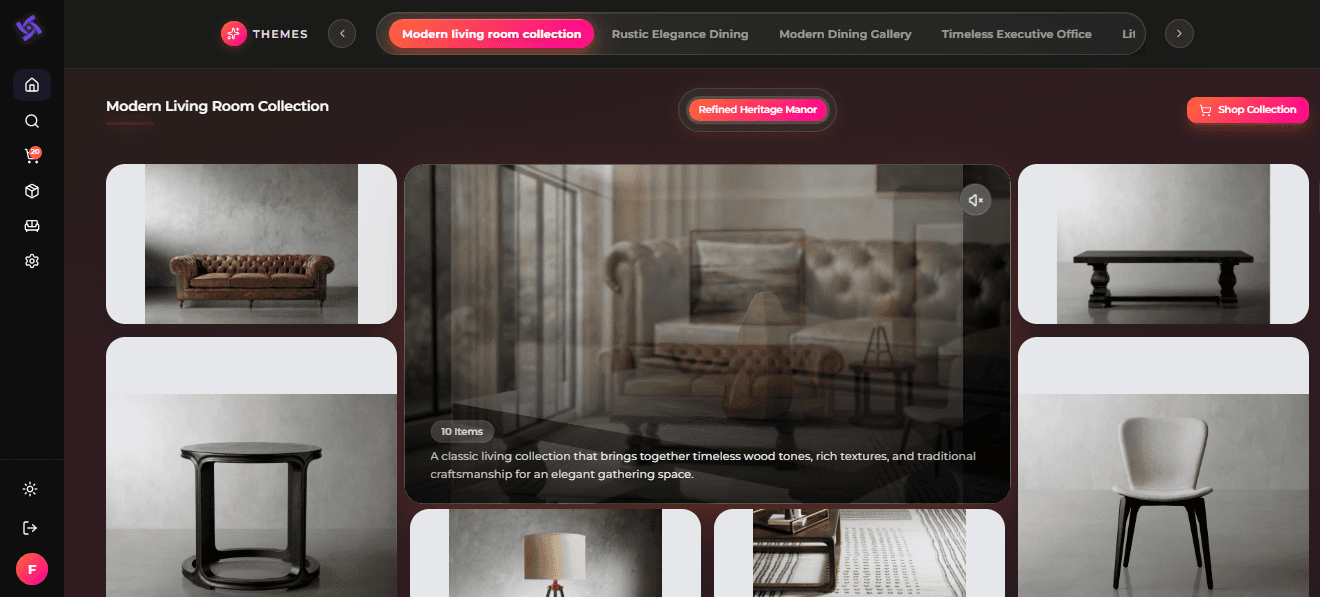
Category examples: Beauty and Cosmetics, Home and Furniture
PaletteAI works across categories, including:
Beauty and Cosmetics
Daily glow routine
Winter skin repair
Clean beauty essentials
Travel size best sellers
Home and Furniture
Small space living
Warm neutral living room
Bedroom refresh edit
Minimalist work from home setup
The goal is not just to group products.
The goal is to create collections that feel like a lifestyle story shoppers want to follow.
Best practices to get the most from the integration
Before you connect and publish, these best practices help you get better output faster:
Catalog readiness
Keep product titles and tags consistent
Ensure images are high quality
Maintain clean attributes for variants and categories
Theme strategy
Start with 5 to 10 themes aligned to your calendar
Use themes based on real shopping moments and campaigns
Define success metrics per theme:
click through, add to cart rate, conversion, AOV
Governance
Assign a reviewer for narrative and visuals
Decide refresh cadence weekly or monthly depending on category speed
FAQs
Is this an official Shopify integration?
Yes. We are happy to announce GenAIEmbed is officially integrated with Shopify.
Do I need to rebuild my Shopify storefront?
No. You can add this new layer of curated discovery without a rebuild.
Can I publish PaletteAI collections into Shopify?
Yes. Once a collection is generated and reviewed, you can post it to Shopify.
How often can I refresh collections?
As often as needed, based on your campaigns, inventory movement, and seasonal updates.
Is PaletteAI only for fashion brands?
No. It works across categories like Beauty and Cosmetics, Home and Furniture, and more.
If you are a Shopify brand and want to see this integration using your own catalog, we would love to show you.
Book a quick walkthrough:
https://calendly.com/genaiembed-sales/30min
Visit GenAIEmbed:
https://www.genaiembed.ai/